
Installation Guide
This guide provides detailed instructions for installing Kube Sentinel in a Kubernetes environment.
Prerequisites
kubectlwith cluster administrator privileges- Helm v3 (recommended for Helm installation)
- MySQL/PostgreSQL database, or local storage for sqlite
Installation Methods
Method 1: Helm Chart (Recommended)
Using Helm provides flexibility for configuration and upgrades:
# Add Kube Sentinel repository
helm repo add kube-sentinel https://pixelvide.github.io/kube-sentinel

# Update repository information
helm repo update

# Install with default configuration
helm install kube-sentinel kube-sentinel/kube-sentinel -n kube-sentinel-system --create-namespace
Custom Installation
You can adjust installation parameters by customizing the values file:
For complete configuration, refer to Chart Values.
Install with custom values:
helm install kube-sentinel kube-sentinel/kube-sentinel -n kube-sentinel-system -f values.yamlMethod 2: YAML Manifest
For quick deployment, you can directly apply the official installation YAML:
kubectl apply -f https://raw.githubusercontent.com/pixelvide/kube-sentinel/main/deploy/install.yamlThis method will install Kube Sentinel with default configuration. For advanced customization, it's recommended to use the Helm Chart.
Accessing Kube Sentinel
Port Forwarding (Testing Environment)
During testing, you can quickly access Kube Sentinel through port forwarding:
kubectl port-forward -n kube-sentinel-system svc/kube-sentinel 8080:8080LoadBalancer Service
If the cluster supports LoadBalancer, you can directly expose the Kube Sentinel service:
kubectl patch svc kube-sentinel -n kube-sentinel-system -p '{"spec": {"type": "LoadBalancer"}}'Get the assigned IP:
kubectl get svc kube-sentinel -n kube-sentinel-systemIngress (Recommended for Production)
For production environments, it's recommended to expose Kube Sentinel through an Ingress controller with TLS enabled:
WARNING
Kube Sentinel's log and web terminal features require websocket support. Some Ingress controllers may require additional configuration to handle websockets correctly.
apiVersion: networking.k8s.io/v1
kind: Ingress
metadata:
  name: kube-sentinel
  namespace: kube-sentinel-system
spec:
  ingressClassName: nginx
  rules:
    - host: kube-sentinel.example.com
      http:
        paths:
          - path: /
            pathType: Prefix
            backend:
              service:
                name: kube-sentinel
                port:
                  number: 8080
  tls:
    - hosts:
        - kube-sentinel.example.com
      secretName: kube-sentinel-tls
Serving under a subpath (basePath)
If you want to serve Kube Sentinel under a subpath (for example https://example.com/kube-sentinel), use the Helm chart basePath value.
How to set it:
- In
values.yaml:
basePath: "/kube-sentinel"- Or with Helm CLI:
helm install kube-sentinel kube-sentinel/kube-sentinel -n kube-sentinel-system --create-namespace --set basePath="/kube-sentinel"Important notes:
- Ingress configuration: make sure your Ingress
pathsmatch the subpath and use a matching pathType (e.g.,Prefix). Example:
ingress:
  enabled: true
  hosts:
    - host: kube-sentinel.example.com
      paths:
        - path: /kube-sentinel
pathType: Prefix- OAuth / redirects: if you enable OAuth (or any external redirect flows), update the redirect URLs in your OAuth provider to include the base path, e.g.
https://kube-sentinel.example.com/kube-sentinel/oauth/callback. - Environment overrides: if you provide environment variables via
extraEnvsor an existing secret, ensureKUBE_SENTINEL_BASEis set consistently with thebasePathvalue (otherwise behavior may differ).
Verifying Installation
After installation, you can access the dashboard to verify that Kube Sentinel is deployed successfully. The expected interface is as follows:
TIP
If you need to configure Kube Sentinel through environment variables, please refer to Environment Variables.
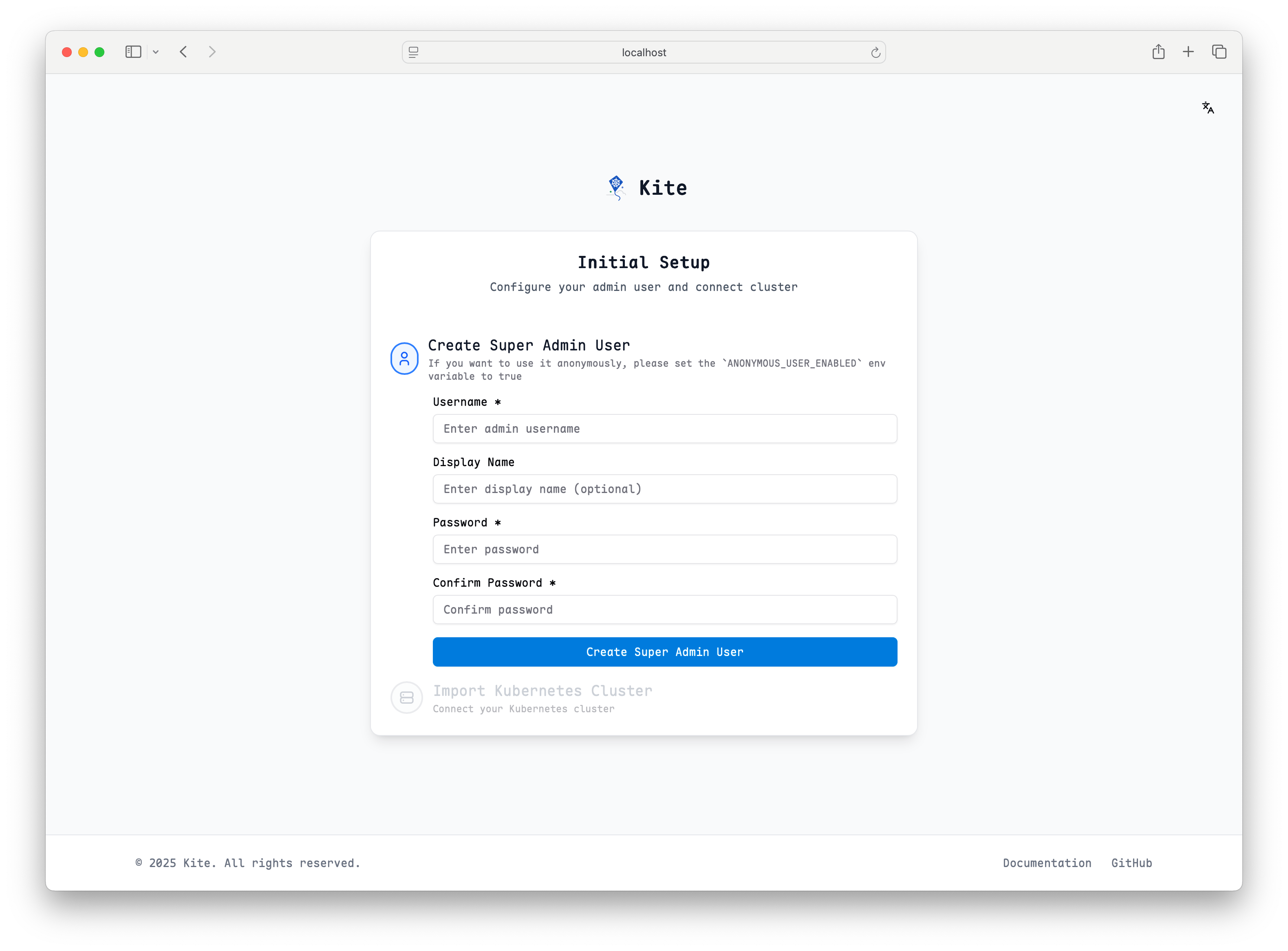
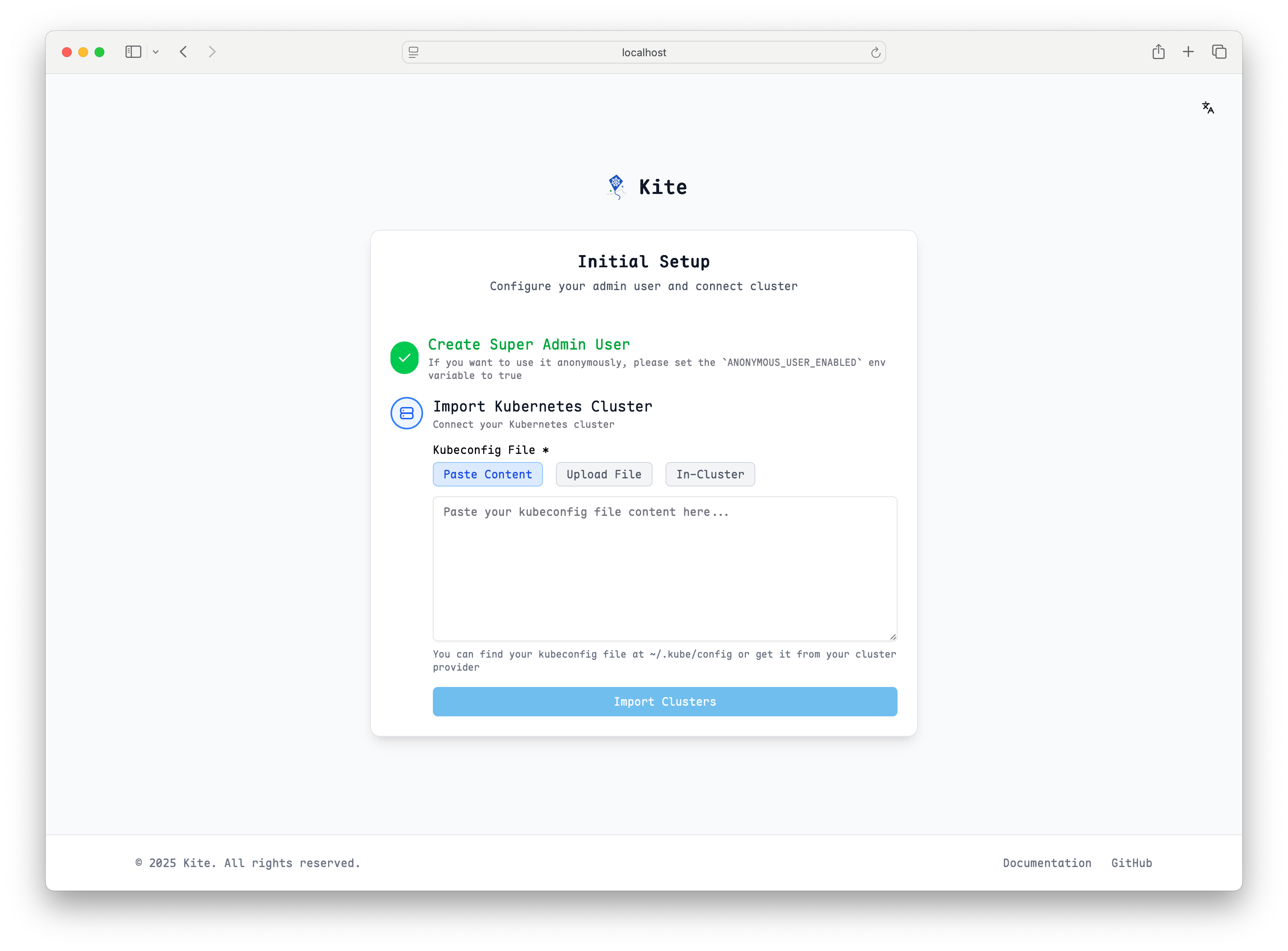
You can complete cluster setup according to the page prompts.
Quick Setup with In-Cluster Mode
For the simplest setup, select in-cluster as the cluster type. This option automatically uses the service account credentials that Kube Sentinel is running with inside the cluster, requiring no additional configuration:
- No kubeconfig needed: Kube Sentinel will use its own service account to access the Kubernetes API
- Automatic authentication: Works out of the box with the default RBAC permissions
- Ideal for single-cluster deployments: Perfect when Kube Sentinel is managing the same cluster it's running in
This is the recommended option for getting started quickly, especially in development or when Kube Sentinel only needs to manage its own cluster.
Uninstalling Kube Sentinel
Helm Uninstall
helm uninstall kube-sentinel -n kube-sentinel-systemYAML Uninstall
kubectl delete -f https://raw.githubusercontent.com/pixelvide/kube-sentinel/main/deploy/install.yamlNext Steps
After Kube Sentinel installation is complete, you can continue with: